Concentric border radius
Concentric offset is a technique used to create a balanced visual look when nesting elements inside one another. I believe this is one of the more important concepts that make interfaces feel great.
Humans are very sensitive to mismatched curvature because our visual system is tuned to detect irregularities in edges and contours.1
If I asked you which one of the two rectangles below feels better, I'd assume the majority would choose the one on the right.
You could argue this is biased because most of you reading this are probably either designers or engineers who are already familiar with this concept, but I'd imagine even people outside of these fields would respond the same way.
There is a formula to calculate exactly what the radius values should be and it's actually quite simple. The outer radius of an element is equal to the inner radius plus the padding.
This formula is not necessary if the borderRadius value is 0 or full, because the radii will always look balanced regardless of the padding.
The idea of concentric border radius isn’t new. It’s inherited directly from industrial design and engineering, where offset curves have been a standard practice for decades.
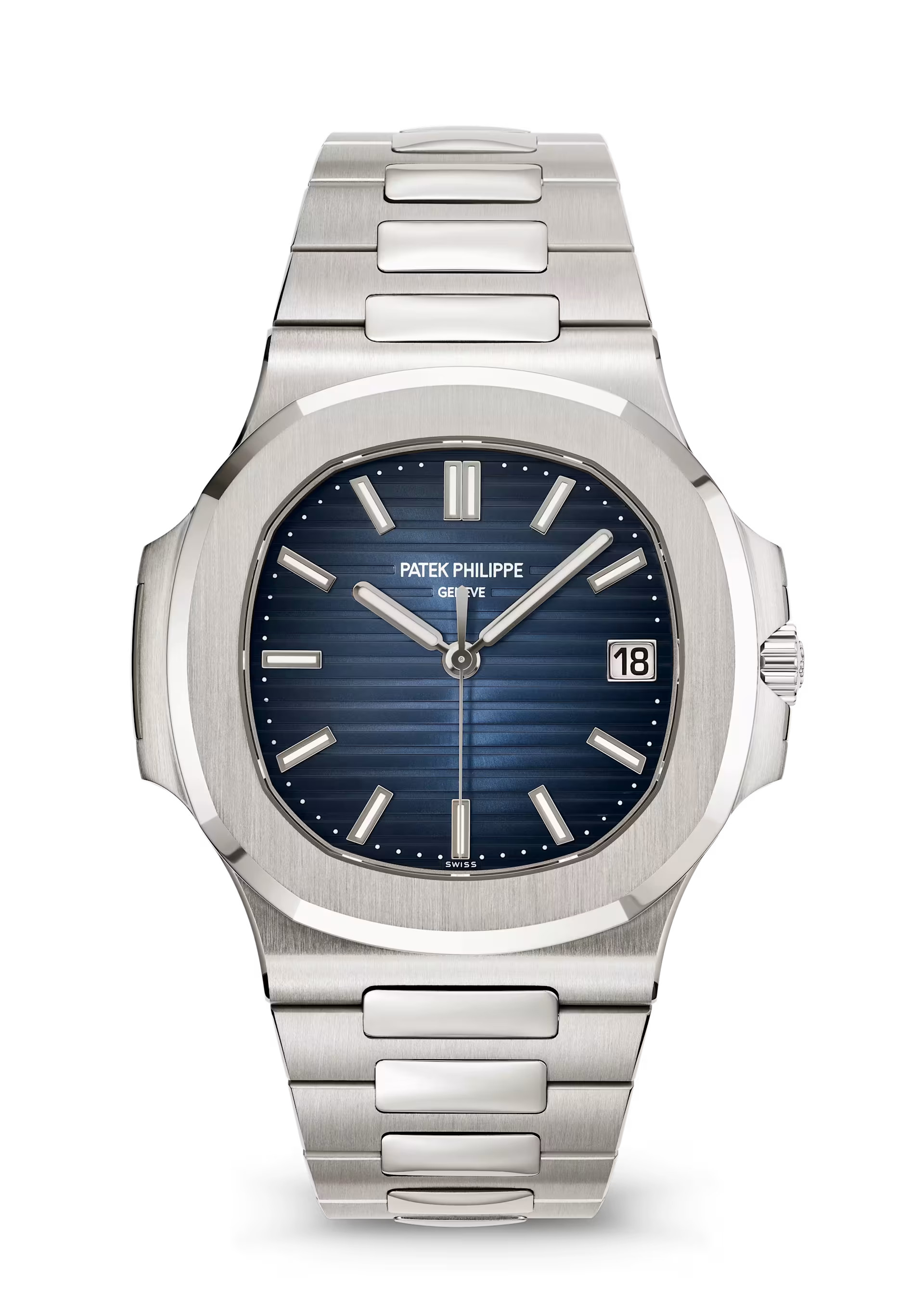
Watches are a great example of how the technique is used in the physical world.
In this Patek Philippe 5811/1G-001, you can see that the radii between the crystal and the case, between the inside of the case and the outside and between the edge of the case and the bezel are precisely calculated to create a balanced visual look.
If you look around in your surroundings, I'm pretty sure you'll find a lot of other objects that follow this approach.
This technique is pretty common in the physical world and it's probably very obvious to a lot of designers and engineers.
However, there's still a surprising number of apps and interfaces that don't do this and instead mismatch border radii.
Change the values to see how the border radius adapts
It's definitely not a one size fits all solution and there will be cases where this might not be possible for whatever reason, but I'd recommend trying to apply it as much as possible.
Apple recently added .concentric and ConcentricRectangle to SwiftUI. Sketch also added an auto border radius feature in one of their recent updates. Both of these make it much easier to apply this technique rather than manually calculating it.
1 Moshe Bar (2004), Visual Objects In Context ↩
More
If you have any questions you can reach me via email, see more of my work on X (Twitter) or subscribe to my newsletter below.